Feature
AI voice drafting for LinkedIn and X posts
Voice drafting in ContentOS is AI post writing that starts from your own published posts. It imports your recent LinkedIn and X posts as voice samples, adds the stories and notes you save, and drafts new posts you edit rather than write from scratch.
Updated
How does ContentOS learn your voice?
When you connect LinkedIn or X, ContentOS imports up to 150 of your recent posts from each platform and stores them as voice samples. You can also add single posts by URL, or paste examples you want it to follow.
During onboarding you can paste a summary of yourself from ChatGPT or Claude and add proof, story material and topics to avoid. Each draft is built from your voice samples, a vocabulary fingerprint of how you write, your saved stories and any Notion pages or Google Docs you connect.
What does writing a post look like?
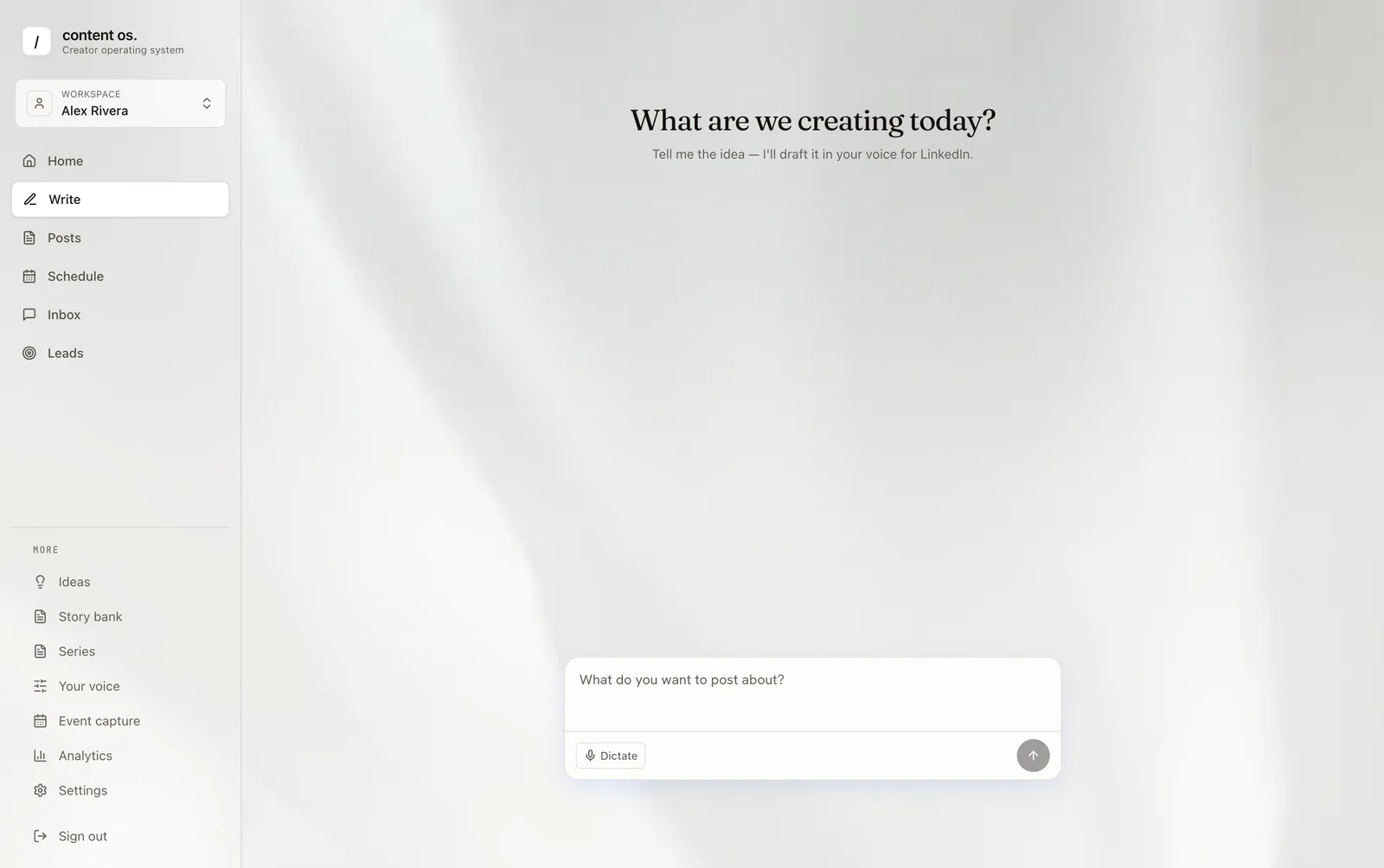
You open the writer and say what you want to post about, by typing or dictating. ContentOS returns a draft for LinkedIn, X or Threads in your voice. You edit it, regenerate parts of it, or switch tools for hooks, stories, captions and repurposing between LinkedIn and X.
Your best-performing posts are included as context, and hooks you save from analytics can be reused, so new drafts lean on what your own audience already responded to.
- Drafts start from your posts, not a generic prompt.
- Saved stories and documents supply the specifics.
- You always edit and approve before anything is scheduled.
What voice drafting does not do
It does not publish anything without you, unless you turn on Autopilot for an account. It does not invent customer results: the material in a draft comes from what you saved. And it is not a carousel designer; image generation is available, but there is no carousel builder today.
Who gets the most from voice drafting?
Founders and experts who already have a body of posts get the strongest drafts, because there is more of their own writing to learn from. People starting out can still use it: saving stories, notes and a few examples they like gives the writer enough material to work from, and the drafts improve as more of their own posts are published and imported.
It suits anyone whose bottleneck is the first draft rather than the ideas. If you know what you want to say but rarely find the hour to write it, editing a draft that already sounds like you is the faster path to a published post.
Which plans include voice drafting?
Availability by plan:
- ContentOS: 10,000 AI generations a month per account, pooled across the subscription.
- Each account covers one LinkedIn profile, one X profile and one Threads profile.
- For example, a subscription with three accounts has 30,000 generations a month to spend across the three accounts.
Frequently asked questions
How many of my posts does ContentOS need to learn my voice?
It works best with a few dozen of your own posts. When you connect LinkedIn or X it imports up to 150 recent posts from each platform automatically, and you can add more by URL or paste examples. Accounts with fewer posts can add stories and notes to give drafts more to work with.
Does ContentOS train AI models on my content?
Your posts and notes are used as context to write your drafts. For how customer data is handled and retained, see the ContentOS privacy policy, which is the source of record for data use.
Can I draft for X as well as LinkedIn?
Yes. Drafts can target LinkedIn, X or Threads, and the repurpose tool reformats a post between LinkedIn and X. Publishing to X or Threads needs a connected profile, and each account includes one X and one Threads profile at no extra cost.
How is this different from asking ChatGPT to write in my style?
ChatGPT follows a style you describe in instructions you maintain yourself. ContentOS starts from your actual published posts, plus your saved stories and documents, and keeps that material up to date as you post. The draft then goes straight onto the calendar and its comments into the reply queue.
Guides and use cases for voice drafting
- How to Write LinkedIn Posts in Your Own Voice With AIUse AI to draft LinkedIn posts that still sound like you: build a voice profile from your own writing, feed it real source material, and keep human review.
- What Is a Content Operating System?A content operating system connects strategy, creation, publishing, conversations, leads and learning so each post improves the next business action you take.
- LinkedIn Scheduler vs AI Writer: Which Do You Need?LinkedIn scheduler or AI writer? Compare what each does, what LinkedIn already does natively, and when founders need a content system that covers both.
- LinkedIn for Founders: Content That Builds PipelineTurn customer calls and product lessons into weekly posts that feed pipeline.
- Personal Brand System for LinkedIn CreatorsKeep stories, pillars and post performance in one place so publishing never restarts.
- LinkedIn Publishing Calendar and Post SchedulerPlans and schedules LinkedIn, X and Threads posts with drag and drop, a backlog and fill-the-week.
- LinkedIn Engagement Inbox for Comment RepliesCollects comments on your LinkedIn posts into one queue with AI-drafted replies you approve.
- LinkedIn Lead Signals from Post EngagementLists the people who comment on or react to your posts as warm contacts, grouped by fit.
Try voice drafting on your own posts
Start a free trial, connect LinkedIn, and see the feature work on your real content.